
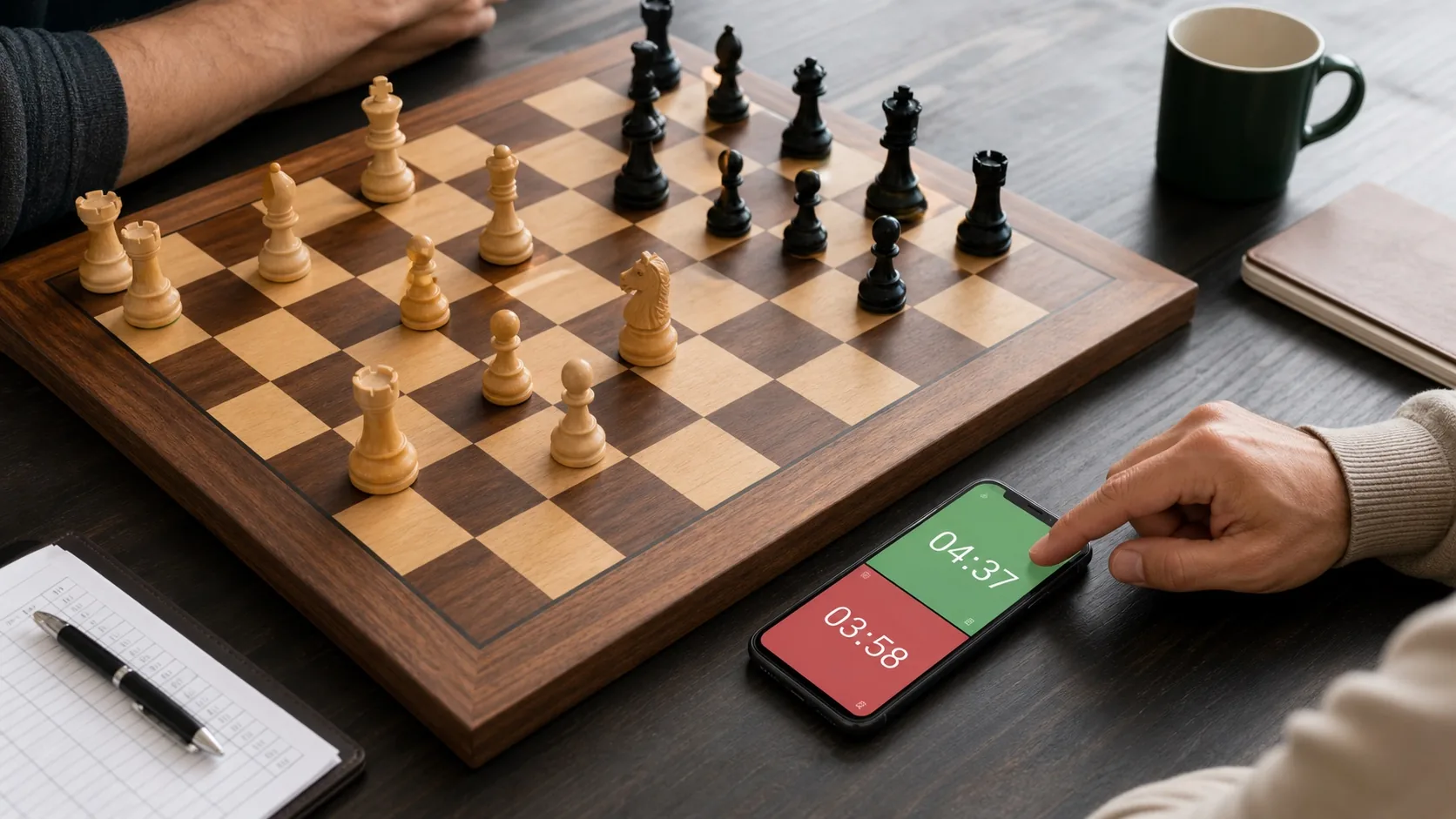
The best chess timer apps turn a phone into a practical clock for face-to-face play. The right choice depends on how you play, from family handicaps to timed club practice. This guide matches five verified apps to distinct needs, so you can find a good fit quickly. We compare timing modes, different times per player, display controls, ads, and platform availability. One pick also runs on iOS, which helps if your group mixes devices. Every recommendation rests on official product research and current Google Play data. Sanctioned events may require approved hardware, so these apps are best suited to casual games, club nights, and practice. Start with the quick picks below, then use the table to compare the features that matter most.
Quick picks
- Best overall for most players: Chess Clock by Chess.com — ad-free, with three timing systems, per-player times, and multi-stage controls.
- Best for time odds and handicaps: Chess Timer — different starting times per player and reusable templates for balanced casual games.
- Best for advanced timing modes in a clean interface: Chess Clock by mansoorcm — Fischer, Bronstein, and delay modes with per-player times and no ads.
- Best for presets and display customization: Chess Clock by Marmot Studios — 30+ built-in controls with configurable colors, orientation, and dark mode.
- Best for casual blitz and bullet: Chess Clock – Play Blitz Chess — an ad-supported, actively maintained clock with Fischer timing and per-player times.
The best chess timer apps at a glance
| App (with developer) | Best for | Verified timing modes | Different times per player | Ads | Installs | Google Play rating | Platform |
|---|---|---|---|---|---|---|---|
| Chess Clock (Chess.com) | Best overall for most players | Fischer, Bronstein, simple delay; multi-stage controls | Yes | No | 10,000,000+ | 4.57 | Android, iOS |
| Chess Timer (YOLO-Studio) | Best for time odds and handicaps | Addition time or delay, with configurable starting move | Yes | Yes | 500,000+ | 4.6 | Android |
| Chess Clock (mansoorcm) | Best for advanced timing modes in a clean interface | Fischer, Bronstein, and delay modes | Yes | No | 100,000+ | 4.37 | Android |
| Chess Clock (Marmot Studios) | Best for presets and display customization | 30+ built-in controls across bullet, blitz, rapid, and time-per-move formats | Not documented | No | 100,000+ | 4.32 | Android |
| Chess Clock – Play Blitz Chess (Vanniktech) | Best for casual blitz and bullet | Fischer timing; custom time modes | Yes | Yes | 500,000+ | 4.66 | Android |
This guide combines Google Play data, official product research, and user-fit analysis. The app data was checked on August 21, 2026. See our app research methodology for details. Google Play ratings are numeric star scores. They are separate from written reviews and written-review counts.
Chess Clock by Chess.com
An ad-free Chess.com clock that scales from casual games to multi-stage tournament practice.
Best for
It suits casual players, club regulars, and parents or coaches who need a dependable timer for in-person games. The layout stays simple enough for first-time users, while the timing options support serious club practice.
Why it fits
The app is listed as free and ad-free, keeping the screen clear during play.
Timing depth is the second strength. Fischer, Bronstein, and simple-delay modes cover the standard ways over-the-board games are timed. You can give each player a different starting time, which helps with handicaps and time-odds games. Multi-stage controls based on move counts handle classical formats that many free clocks skip. Together, these options let one no-cost app grow with a player from first games to tournament practice.
The app holds a 4.57-star Google Play rating and more than 10 million installs. Chess.com also confirms iOS availability, so mixed-device clubs can standardize on one clock. It runs as a standalone timer for face-to-face games, separate from Chess.com's online-play features.
Key features
- Fischer, Bronstein, and simple-delay timing modes
- Different time controls for each player, useful for handicaps and time odds
- Multi-stage controls based on move counts
- Saved and custom time controls for fast setup
- Large tap areas with portrait and landscape layouts
- Manual clock adjustment and automatic pause when play is interrupted
- Button sounds and a flag-fall alert
Pros and cons
Pros
- Free and ad-free according to its current Google Play listing
- Fischer, Bronstein, simple delay, per-player times, and multi-stage controls in one app
- Large tap areas and both screen orientations suit real table play
- Automatic pause and manual adjustment handle interruptions and corrections
- Available on Android and iOS, with 10 million-plus installs on Google Play
Cons
- The Google Play listing was last updated in January 2025
- It is a standalone over-the-board clock rather than a companion to Chess.com's online games
Verdict
Chess Clock by Chess.com is the best starting point for most over-the-board players. It combines a clear interface with the broadest verified timing support in this group.
View Chess Clock by Chess.com's current Google Play data on PixelTrackHQ. Official website: Chess Clock by Chess.com.
Chess Timer
A free, ad-supported Android clock built around per-player starting times and reusable templates.
Best for
Chess Timer from YOLO-Studio is the best pick for time odds and handicaps in casual over-the-board games. It suits parents, coaches, and club players who want to give a beginner or child extra time. It also works well for anyone who reuses the same setups and wants them saved.
Why it fits
The app centers on asymmetric time controls, so each player can start with a different clock. Saved templates store those setups, which removes repeat configuration before every game. An addition-time or delay option can begin from a chosen move, adding flexibility for casual play. The layout stays simple, with large buttons and a visible move count during games.
Key features
- Independent starting times for each player, suited to handicap games
- Addition time or delay with a configurable starting move
- Saved timer templates for frequently used setups
- Large timer buttons with configurable backgrounds
- On-screen move count and added-time information
- Automatic state saving when a call or interruption stops the app
Pros and cons
Pros
- Per-player starting times make handicap games fast to configure
- Saved templates remove repeat setup for regular sessions
- Large buttons and a simple layout suit quick over-the-board games
- Automatic state saving protects a running game when calls interrupt
Cons
- Contains ads, which may matter to players who want an uncluttered clock
- Official materials do not label the increment type or confirm multi-stage controls
- Documented availability is limited to Google Play
Verdict
Chess Timer is the right download when one player should start with more time. It handles casual handicaps well, and its templates reward repeat use. Players sensitive to ads may prefer another option. Its Google Play listing showed a 4.6-star rating and more than 500,000 installs.
View Chess Timer's current Google Play data on PixelTrackHQ. Official website: Chess Timer.
Chess Clock by mansoorcm
A focused Android clock that pairs Fischer, Bronstein, and delay modes with a clean, uncluttered interface.
Best for
This pick suits club regulars and casual players who want serious timing options without a crowded screen. It also fits anyone who runs handicap games, since each player can receive a different starting time. Players who value a free, ad-free clock get that here as well.
Why it fits
The app covers the three timing systems most over-the-board players use: Fischer, Bronstein, and a simple delay. Popular presets speed up setup for common formats, while custom controls handle anything more specific. Each player can start with a different time, which suits handicap games against beginners or children. A mid-game adjustment option lets you correct mistakes or pauses without abandoning the round. An optional auto-pause stops the clock if a phone call or another app interrupts the game. A dark theme and both screen orientations keep the display comfortable in dim club rooms.
The Google Play listing reports no ads, a 4.37-star average rating, and more than 100,000 installs. This is an Android-focused pick, so mixed-device groups may find Chess.com's clock easier to standardize.
Key features
- Custom time controls with Fischer, Bronstein, and delay modes
- Different starting times for each player
- Popular time-control presets for fast setup
- Mid-game clock adjustment
- Editable and removable saved controls
- Optional automatic pause when the app is interrupted
- Portrait and landscape orientation
- Dark theme
Pros and cons
Pros
- Fischer, Bronstein, and delay modes cover nearly every club and casual timing need.
- Different starting times per player make handicap games quick to set up.
- Mid-game adjustment and editable saved controls keep everyday use flexible.
- Ad-free according to its current Google Play listing
- Dark theme and both orientations suit long sessions in dim venues.
Cons
- Multi-stage time controls are not documented, which rules out complex tournament formats.
- Availability is Android-only, so iPhone-owning players will need a different option.
Verdict
Chess Clock by mansoorcm is the best option for advanced timing modes in a clean interface. It combines Fischer, Bronstein, and delay modes with per-player times, presets, and a dark theme. Android players who want timing depth without clutter should consider it first.
View Chess Clock by mansoorcm's current Google Play data on PixelTrackHQ.
Chess Clock by Marmot Studios
A customizable Android clock with 30-plus ready-made controls and flexible display options.
Best for
Players who want quick game setup from ready-made controls and deep control over how the clock looks on the table. It is the strongest fit here for preset-driven setup and display customization, from casual games to club nights and coaching sessions.
Why it fits
Setup speed is the main draw for players who just want to start playing. More than 30 built-in controls cover bullet, blitz, rapid, and time-per-move formats, so games start quickly. Custom controls can be saved for later games, which helps regular groups and coaches repeat a preferred setup without rebuilding it.
Display options cover colors, timer orientation, icon sizes, and label visibility for shared-table readability. Dark mode supports low-light venues, and the developer positions the app as battery-conscious for long sessions.
Google Play listed no ads, 100,000+ installs, and a 4.32 average star rating. The developer also declares in its store listing that the app collects no user data.
Key features
- More than 30 built-in time controls across bullet, blitz, rapid, and time-per-move formats
- User-created custom controls saved for later games
- Configurable colors, timer orientation, icon sizes, and label visibility
- Dark mode with battery-conscious positioning for longer sessions
- No ads according to its current Google Play listing
- Developer-declared no-data-collection stance in the store listing
Pros and cons
Pros
- Fast game setup from a large library of ready-made controls
- Broad display customization that improves readability across a shared table
- Ad-free experience with a developer-declared no-data-collection stance
- Saved custom controls that suit recurring groups and coaching sessions
Cons
- Android-only per available evidence, with no iOS version documented for mixed-device groups
- Official materials describe controls by format rather than naming Fischer, Bronstein, or multi-stage systems
- Players set on explicitly labeled delay modes should compare our Best overall pick instead
Verdict
Chess Clock by Marmot Studios is the best fit for players who want quick presets and a tailored display without ads. Its strength is breadth of controls and personalization rather than specifically named delay systems.
View Chess Clock by Marmot Studios's current Google Play data on PixelTrackHQ. Official website: Chess Clock by Marmot Studios.
Chess Clock - Play Blitz Chess
A maintained, no-frills Android clock for bullet, blitz, and rapid games, with Fischer timing and flexible display themes.
Best for
Casual and club players who want a simple phone clock for fast over-the-board games. It also fits players who use time odds, because each side can start with a different time. If your games stay in the bullet-to-rapid range, this app keeps setup quick.
Why it fits
The app concentrates on the fast formats casual players use most. Bullet, blitz, and rapid modes come built in, and custom time modes cover everything in between. Fischer timing is the documented increment system, adding a fixed number of seconds after each move.
Different starting times per player help when a stronger player faces a beginner or a child. White, dark, and custom themes let you adapt the display to the lighting around the board. The clock can also time other two-player games such as Go, though chess is clearly its main purpose.
Maintenance is a real strength. Google Play data showed 500,000+ installs and a July 2026 update. The app holds a 4.66-star Google Play rating.
The official materials identify Fischer timing but do not list Bronstein, simple delay, or multi-stage controls. Players who need those formats should choose a better-documented alternative. The current Google Play listing also marks the app as containing ads.
Key features
- Bullet, blitz, and rapid modes
- Fischer increment timing
- Custom time modes
- Different starting times for each player
- White, dark, and custom clock themes
- Works as a timer for other two-player games, such as Go
Pros and cons
Pros
- Actively maintained, with a recent update and 500,000+ installs
- Quick, simple setup that gets games started fast
- Per-player times support casual handicapping
- Theme options adapt the display to different lighting
Cons
- Only Fischer timing is documented; no Bronstein or simple delay
- Multi-stage time controls are not documented
- Contains ads, which may matter during shared-table play
Verdict
Chess Clock - Play Blitz Chess is the best pick here for casual blitz and bullet players who value simplicity and ongoing maintenance. Players who need delay modes, multi-stage controls, or an ad-free screen should choose our best overall pick instead.
View Chess Clock - Play Blitz Chess's current Google Play data on PixelTrackHQ. Official website: Chess Clock - Play Blitz Chess.
Chess clock timing modes explained
Every time control in this guide comes down to two numbers: starting time, and what happens after each move.
Fischer (increment). With Fischer timing, a fixed number of seconds is added to your clock after every completed move. Players usually call this the increment, and it is the most common mode in modern blitz and rapid play. It rewards steady, efficient moves and softens the scramble when both clocks run low.
Bronstein (delay). Bronstein delay credits back the time you spent on a move, but never more than the delay amount. Move inside the delay window, and your displayed time returns to where it started. Use more than the delay, and only the excess eats into your remaining time.
Simple delay. Simple delay works differently: your clock pauses for the delay period before counting down at all. If you move before the pause ends, your main time stays untouched. Bronstein and simple delay feel similar in casual games, but they diverge once you think longer than the delay.
Reading 3+2 notation. Notation like 3+2 packs the whole control into two numbers. The first number is each player's starting minutes, and the second is the seconds added per move. So 3+2 gives both players three minutes plus a two-second increment, a standard blitz control. A control like 5+0 means five minutes each with no increment at all.
Time odds. Time odds give each player a different starting time, usually to balance a gap in playing strength. A coach might take two minutes against a student's ten, keeping both sides competitive. Four of the five picks support different times per player, and Chess Timer builds its whole design around them.
A note on rated events and hardware. These apps are designed for casual games, club nights, and practice sessions. Sanctioned events may require approved hardware, so no app here is a guaranteed substitute for event equipment.
FAQ
Which app supports multi-stage time controls?
Chess.com's Chess Clock is the only pick here with officially documented multi-stage controls based on move counts. That makes it the strongest option for practicing formats that add time after a set number of moves.
Which app should I use for a time handicap against a beginner or child?
Chess Timer is the purpose-built choice, with asymmetric starting times and saved templates for repeat sessions. Chess.com's Chess Clock, mansoorcm's Chess Clock, and Chess Clock - Play Blitz Chess also support per-player times.
What does a time control like 3+2 mean?
Each player starts with three minutes, and two seconds are added after every move. The same pattern covers 5+0, 10+5, and any other base-plus-increment pairing you meet.
Which of these apps contain ads?
Chess Timer and Chess Clock - Play Blitz Chess contain ads. Chess.com's Chess Clock, mansoorcm's Chess Clock, and Marmot Studios' Chess Clock are listed ad-free on Google Play.
Do any of these apps work on iPhone?
Chess.com's Chess Clock is available on iOS in addition to Android, according to Chess.com. This guide evaluates the Android versions of the other four picks.
Which app is best for quick blitz games with friends?
Chess Clock - Play Blitz Chess is tuned for bullet, blitz, and rapid with Fischer timing. Chess.com's Chess Clock covers the same ground with more modes if your group plays varied controls.
Final thoughts
The right chess clock app is the one that matches how you actually play. Chess.com's Chess Clock fits most players, combining Fischer, Bronstein, delay, per-player times, and multi-stage controls without ads. Chess Timer is the clear pick for time odds and handicaps. Players who want advanced timing modes in a clean interface should choose mansoorcm's Chess Clock. Marmot Studios' Chess Clock leads on presets and display control, while Chess Clock - Play Blitz Chess keeps casual blitz simple. Save your usual controls once, and every future game can start faster.