
Quick take
Quilting Calculators is a free quilting-math app from Robert Kaufman Fabrics and Quilter's Paradise. It bundles eight calculators that answer the most common yardage questions. These cover backing, batting, binding, borders, piece counts, and block geometry. Official listings confirm support for both US customary and metric measurements.
- Price: Free. Checked store data lists USD 0, with no ads, no in-app purchases, and no subscription. Store conditions can change.
- Google Play rating: 4.46 average stars
- Written reviews on Google Play: 223
- Installs: 100,000+
- Current version: 8.0.1, last updated September 15, 2025
- Developer: Handmade Interactive
- Platforms: Android app, a separate iOS listing called QuiltingCalc, and a related web calculator collection
Verdict snapshot: The app is a practical first stop for quick fabric estimates. Its eight tools cover several common planning tasks without turning into a full design suite. Official materials do not publish formulas, allowances, or input defaults. Quilters should verify critical yardage and add their own purchase buffer.
What the Robert Kaufman Quilting Calculators app is
The app is a collaboration between two established quilting names. Robert Kaufman Fabrics is a well-known fabric manufacturer. Quilter's Paradise is a quilting-tools specialist with its own calculator collection. Handmade Interactive is listed as the developer, and the app sits in the Tools category.
The positioning is simple and focused. This is a free utility for quilting math, not a full project planner. The store description promises that users will "wonder how you ever quilted without the 8 calculators in this app." That framing matches the feature list. The app solves discrete calculations rather than managing whole quilts.
One routing note matters for searchers. Quilter's Paradise publishes a separate collection of free web calculators. That browser-based collection is broader than the app's eight listed tools. Readers who want web tools such as sashing, strip, or project-cost calculators should visit the Quilter's Paradise calculator page directly. This review evaluates the mobile app and points web-first users to the right place.
Calculator coverage at a glance
The eight tools below come from the official Google Play description and the Robert Kaufman product page. The table pairs each calculator with its practical job and a documented caveat.
| Calculator (official name) | What it computes | When a quilter uses it | Known limit or caveat |
|---|---|---|---|
| Fabric Measurement Converter | Converts measurements between decimal and fractional forms | When pattern math produces decimals but the ruler uses fractions | Rounding behavior and fraction precision are not documented officially |
| Backing and Batting Calculator | Bolt yardage needed for a quilt backing, from quilt dimensions | Before buying backing or batting fabric | The app's allowance behavior is not documented |
| Piece Count Calculator | How many fixed-size rectangular pieces cut from a larger fabric piece | When checking whether stash fabric yields enough pieces | Official description covers rectangular pieces; other handling is undocumented |
| Pieces to Yardage Calculator | Fabric required to cut a given number of fixed-size pieces | When a pattern lists piece counts rather than yardage | Fabric-width assumptions are not documented in official materials |
| Binding Calculator | Binding fabric from quilt dimensions and binding-strip width | When planning straight binding for a finished quilt top | Whether joining allowances are included is not documented officially |
| Border Calculator | Border fabric from quilt dimensions and border width | When adding one or more borders to a quilt top | Mitered-corner handling is not described in official materials |
| Square-in-a-Square Calculator | Key dimensions of a square-in-a-square block | When cutting blocks without working through the geometry | Seam-allowance handling is not specified in official materials |
| Set-in and Corner Triangle Calculator | Square size needed to cut unfinished set-in and corner triangles | When setting blocks on point | Outputs are unfinished sizes, per the official description |
This review draws on Google Play data checked on August 20, 2026. It also uses official product research and PixelTrackHQ's user-fit analysis, as described in our methodology. The 4.46 figure is the store's numeric average star rating, while the 223 figure counts written reviews. These are separate measures. Checked prices and store conditions can vary by country and store, so re-verify the listing before downloading.
The eight calculators in practice
Each tool maps to a familiar quilting task. The sections below lead with the job, then the official function.
Converting decimals and fractions
Quilting math often produces decimals, while rotary rulers are marked in fractions. The Fabric Measurement Converter converts measurements between the two forms. A typical task is turning a decimal result into the nearest fractional ruler mark. Official materials do not document the rounding rules or fraction precision. Users converting tight tolerances should confirm the conversion against a physical ruler.
Estimating backing and batting yardage
Backing is usually the largest single fabric purchase in a quilt. The Backing and Batting Calculator estimates bolt yardage from the quilt dimensions. This makes it a useful quilt backing calculator app moment in the fabric store. A quilter can enter the top's measurements and get a yardage figure on the spot.
One allowance caution applies. Quilter's Paradise states that its web calculator results reflect the supplied inputs only. The calculations add no extra fabric for cutting mistakes or retailer cutting errors. Prudent practice is to add a personal buffer before purchasing.
Counting pieces from available fabric
The Piece Count Calculator answers a stash question. It shows how many fixed-size rectangular pieces can be cut from a larger fabric piece. A quilter can check whether a fat quarter or remnant yields enough squares or strips. The official description describes rectangular pieces. Handling of grainline or non-rectangular shapes is not documented.
Turning a piece count into yardage
The Pieces to Yardage Calculator runs the same problem in reverse. A pattern may list fifty identical rectangles without stating yardage. This tool indicates how much fabric is needed to cut that quantity. Official materials do not document the fabric-width assumptions behind the output. Confirming the assumed width against the intended fabric is a sensible check.
Planning binding
Binding math is repetitive, and errors show up at the worst stage of a quilt. The Binding Calculator computes required fabric from the quilt's dimensions and the binding-strip width. As a free quilt binding calculator, it covers the core planning task. Official materials do not state whether strip-joining allowances are included. Adding a small margin remains the quilter's decision.
Sizing borders
The Border Calculator computes border fabric from quilt dimensions and border width. It supports the common task of framing a finished top. Official materials do not describe mitered-corner handling. Quilters planning miters should account for the extra length themselves.
Square-in-a-square blocks
This block requires diagonal geometry that many quilters prefer to skip. The Square-in-a-Square Calculator works out the block's key dimensions. It turns a geometry problem into a short cutting list. Official materials do not specify how seam allowances are handled. A test block in scrap fabric is a reasonable verification step.
Set-in and corner triangles
On-point layouts need set-in and corner triangles cut to precise sizes. This calculator determines the square size to cut for both unfinished triangle types. That removes the most error-prone step of an on-point setting. The official description specifies unfinished sizes. Finished-block planning remains with the quilter.
Platforms, versions, and the AI chatbot
The Android app is listed on Google Play under the package quilting.calculators. The current version is 8.0.1, updated on September 15, 2025. The listing shows 100,000+ installs and a 4.46 average star rating. It also shows 223 written reviews, which is a separate count from the numeric rating.
The iOS version appears on the Apple App Store under the name QuiltingCalc. That listing covers iPhone and iPad. Apple App Store ratings are a separate data set from the Google Play figures above. Feature parity between the Android and iOS versions is not established by official materials.
The Quilter's Paradise web calculators are a third, separate surface. That collection includes tools the app does not list, such as sashing, strip, shape, and project-cost calculators. The web and app surfaces should not be treated as feature-identical.
Current store descriptions also list an AI quilting chatbot. The Google Play full description and the Apple version history both mention it. Official materials confirm that the chatbot is listed but do not explain its access point, limits, or answer quality.
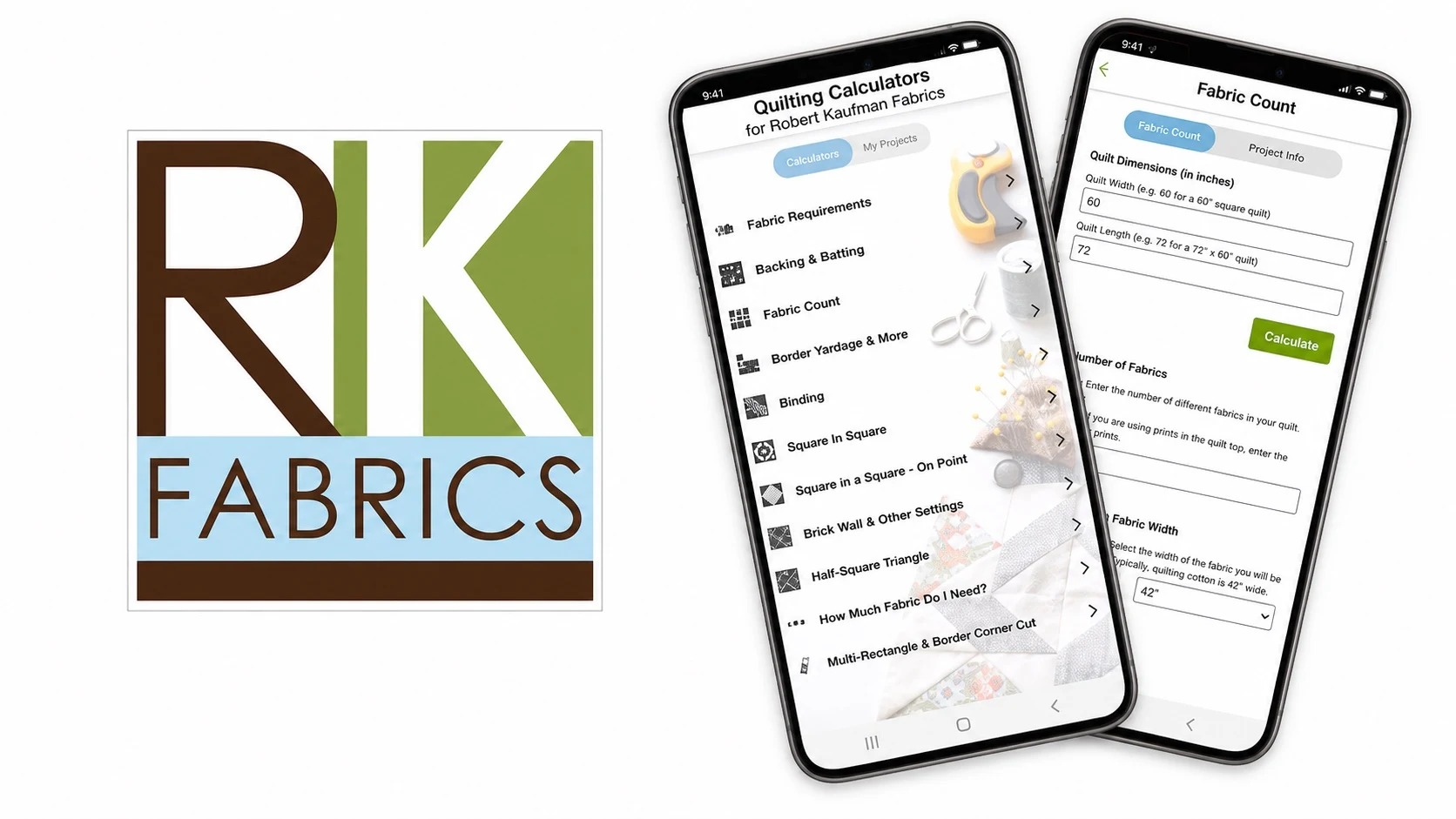
A version note applies to store visuals. The supplied screenshots show version 5.7.13, which predates the current 8.0.1 release. They illustrate the app's traditional form-based calculator design. They should not be read as the complete current interface.
Accuracy, allowances, and limitations
The evidence base supports a clear feature picture. It does not yet support several performance claims.
- Calculation methods are not published. The store description says the tools calculate fabric requirements, but official materials do not provide formulas or worked examples. Critical yardage deserves a manual cross-check.
- No built-in buffer is documented. Quilter's Paradise states that its web calculations add no extra fabric for cutting mistakes or retailer cutting errors. Users must decide their own allowance before buying.
- Formula transparency is limited. Official materials describe what each calculator computes. They do not publish the underlying assumptions, such as seam allowances, fabric-width defaults, or rounding rules.
- Input flexibility is undocumented. Current documentation does not establish which defaults are visible or editable in version 8.0.1.
- Unit support is confirmed. Official sources list both US customary and metric measurements. Metric users are explicitly served by the listing.
- Offline behavior is not established. Official sources do not state whether the calculators work without a connection.
- Cross-platform parity is unconfirmed. The Android app, the iOS listing, and the web collection are separate surfaces.
None of these points disqualify the app. They define where a careful quilter should verify results before committing fabric.
Who it suits best
The app fits several clear user profiles.
- Traditional quilters using standard sizes. The eight tools map directly onto common backing, binding, and border tasks.
- Fabric shoppers who want on-the-spot estimates. A phone-based calculator answers yardage questions at the bolt.
- Quilters who dislike manual math. Triangle and square-in-a-square geometry becomes a short form-filling exercise.
- Metric users. Official support for metric measurements makes the app usable outside the US.
- Budget-conscious quilters. Checked store data lists the app as fully free, with no ads or subscription.
Some users should look elsewhere. Quilters who want saved projects, cutting layouts, or a quilt builder need a broader tool. Browser-first users may prefer the Quilter's Paradise web collection. Quilters who require published formulas and allowances should plan to verify outputs manually.
Alternatives to consider
Three alternatives cover distinct needs. This is not a ranked comparison.
Quilt Geek Quilting Calculator
Best for: Quilters who want broader project planning, more calculators, saved work, or a quilt builder.
The current Google Play description lists more than 20 calculators. It also includes a Quilt Builder, cutting layouts, quilting charts, and saved calculations. Both metric and imperial units are supported. The store description says the free version covers essential backing, batting, and binding calculators. Premium unlocks the full calculator set, saving, and favorites. Google Play lists in-app purchases, so readers should check current local pricing. The tradeoff is clear: a broader feature set, but full access is paid rather than entirely free. See the Quilt Geek Google Play listing or the developer site.
Quilter's Paradise Free Online Quilting Calculators
Best for: Readers who prefer browser tools or need calculations beyond the mobile app's eight listed tools.
The official collection includes backing, binding, borders, sashing, shapes, strips, and width-of-fabric conversion. Project-cost and die-cut calculators also appear. The page presents the tools as free online calculators. The site states that calculations do not add extra fabric for cutting mistakes or retailer cutting errors. Users decide whether to add a buffer. The collection is broader and browser-based, but it is a separate product surface from the app. Visit the Quilter's Paradise calculator page.
Omni Quilt Backing Calculator
Best for: Readers who only need a quick backing or batting estimate.
The official page is a focused browser calculator for backing or batting fabric. No app purchase is required for that web workflow. The tradeoff is scope. It handles one task well but does not replace the Robert Kaufman app's binding, border, piece, and triangle tools. See the Omni Quilt Backing Calculator.
Verdict
Quilting Calculators does one job and keeps it free. The eight official calculators cover the yardage questions most quilters actually face. US and metric support broadens its usefulness beyond the American market. The Robert Kaufman and Quilter's Paradise names give the toolset a credible quilting pedigree.
The main limits are documentation gaps rather than missing core tools. Official materials do not publish formulas, allowances, or input defaults. Cross-platform parity and offline behavior are not documented. Used with a manual cross-check and a personal fabric buffer, the app is a sensible everyday quilting companion. Quilters needing saved projects, browser access, or a single backing tool should consider the alternatives above.
View Quilting Calculators' current Google Play data on PixelTrackHQ. Official website: Robert Kaufman Quilting Calculators.
FAQ
Is the Robert Kaufman Quilting Calculators app free? Yes, based on checked store data. Google Play lists the app at USD 0, with no ads, no in-app purchases, and no subscription. Store conditions can change, so re-check the listing before downloading.
Are the calculators accurate? Official materials do not publish the formulas, rounding rules, or worked examples behind the results. Treat important yardage as an estimate and cross-check it before cutting expensive fabric.
Does the app support metric measurements? Yes. Official sources list both US customary and metric measurement support. Metric users are explicitly included in the product description.
Does the app work offline? Official sources do not establish offline behavior for the calculators or the chatbot. Check behavior on your own device if offline use matters to you.
Is the app the same as the Quilter's Paradise web calculators? No. Quilter's Paradise collaborates on the app and also publishes a separate, broader web calculator collection. Feature parity between the two surfaces should not be assumed.
Is the Android version the same as the iPhone version? The iOS version is a separate App Store listing called QuiltingCalc. Official materials do not establish feature parity between the Android and iOS versions.
What is the AI chatbot mentioned in the store listing? Current Google Play and Apple materials list an AI chatbot for quilting questions and advice. Claims in this review are limited to that official documentation. Official sources do not detail its access point, limits, or answer quality.